
How to Generate a Character Jump Animation Sprite Sheet with AI
Learn how to create 2D game assets using AI. Master jump animations, prompt engineering, and workflow with NanoBanana Pro technology.
Creating a fluid character jump animation is essential for any platformer. Traditionally, this requires hours of drawing. With SpriteStudio, powered by the NanoBanana Pro model, you can generate sprite sheets in seconds.
In this guide, we'll walk through generating a jump animation asset.
1. The Prompt
The secret to clean AI pixel art lies in the prompt. Be specific about the character, action, and style.
Example Prompt:
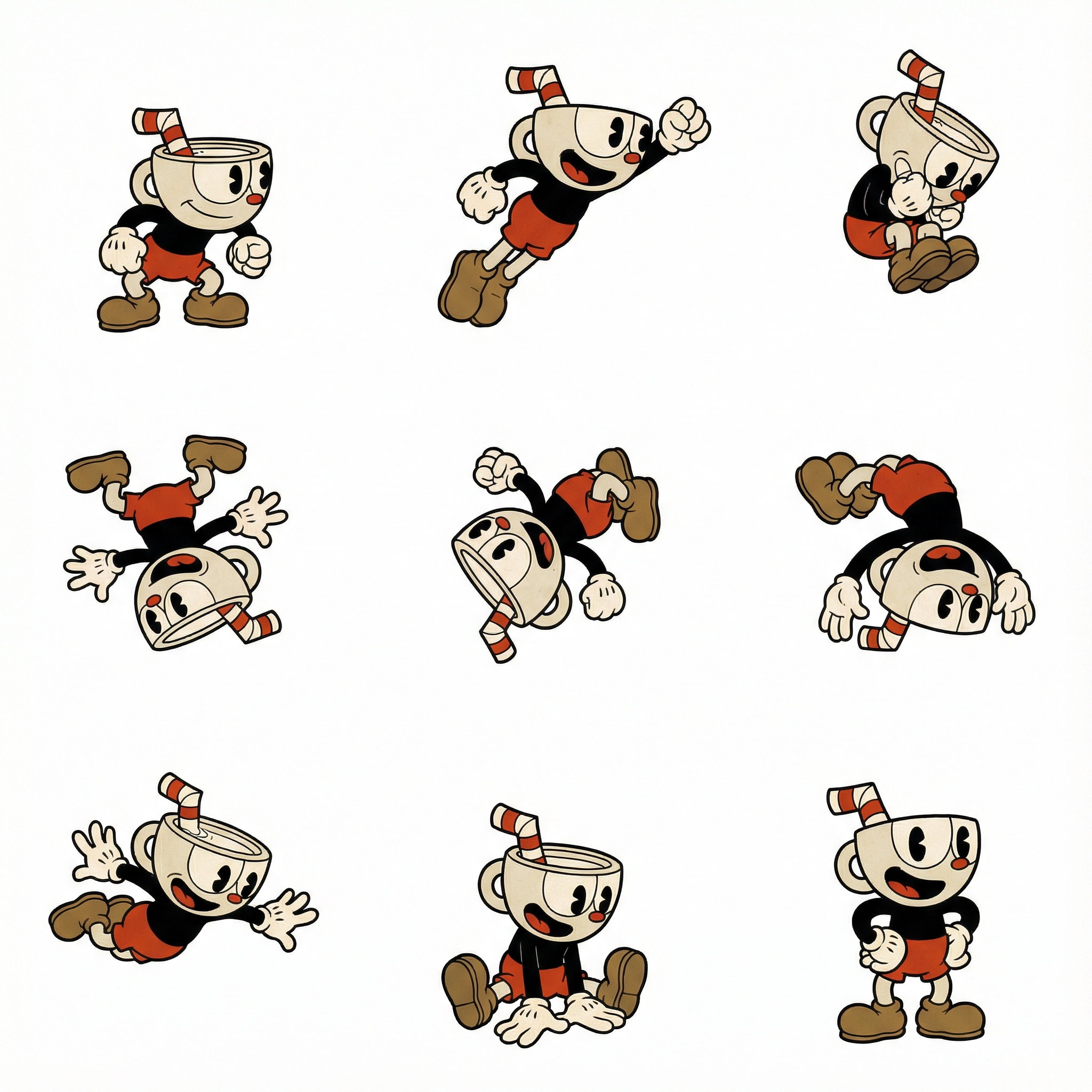
Cuphead from Disney jump forward while flipping, a 3x3 grid animation, clean professional sprite sheet, in Hand-Drawn Art style
Why this works:
- Subject: Identifies "Cuphead".
- Action: "jump forward while flipping" defines the movement.
- Format: "3x3 grid animation" layouts the frames.
- Style: "Hand-Drawn Art style" matches the aesthetic.
2. Settings
Configure your settings for quality and efficiency.
- Resolution: Start with 1K resolution for initial iterations.
- Style: Choose Hand-Drawn Art (or Pixel Art, Vector, etc.).
3. Adjust & Preview
After generation, it's crucial to verify the animation loop.
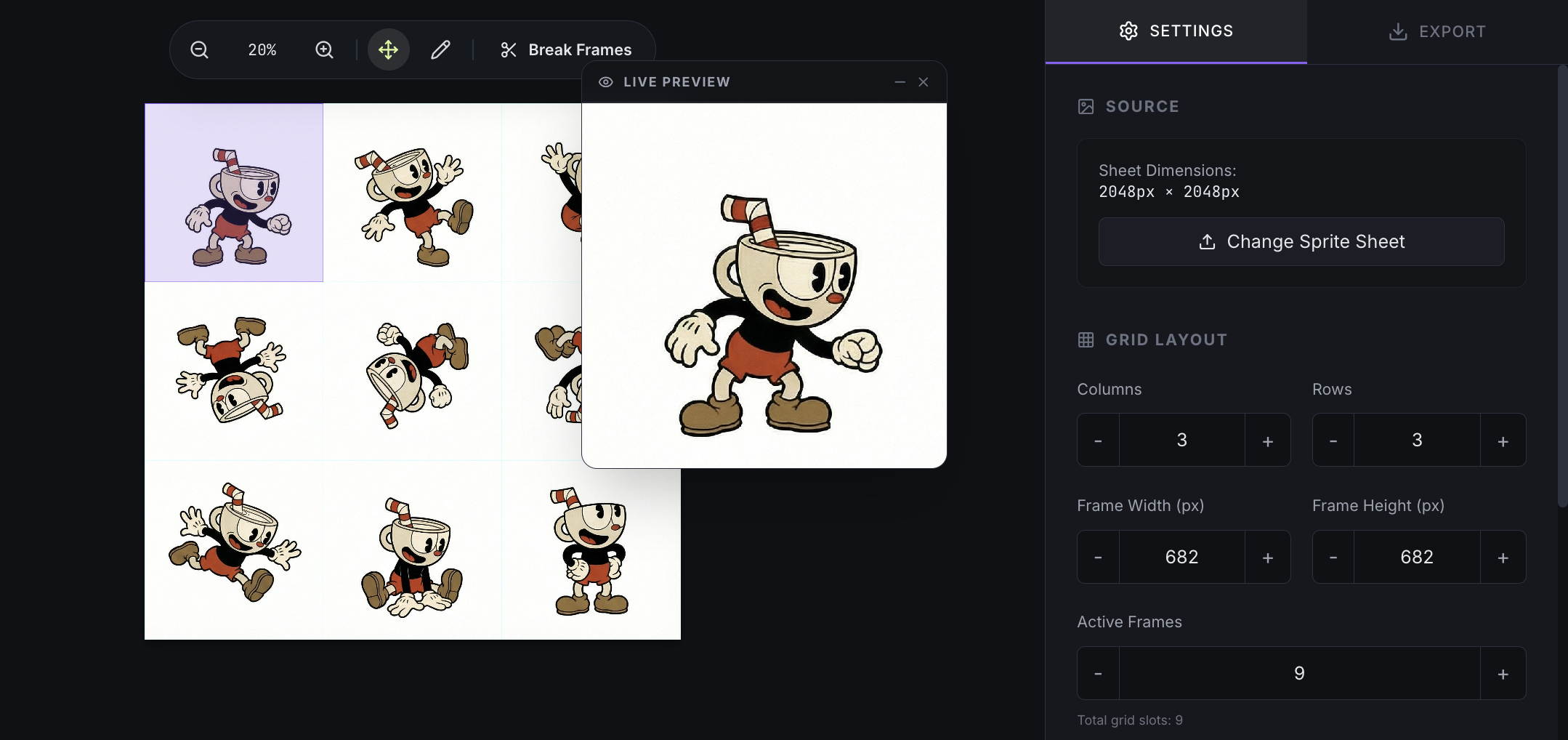
- Grid Settings: Match the Rows and Columns to your generated sheet (e.g., 3x3).
- Speed: Adjust the FPS slider to see the animation at different speeds.
- Preview: Watch the live preview to ensure the motion is fluid.
4. Workflow
The raw output might need tweaking.
Reordering Frames
Sometimes the generator produces poses in a non-linear order.
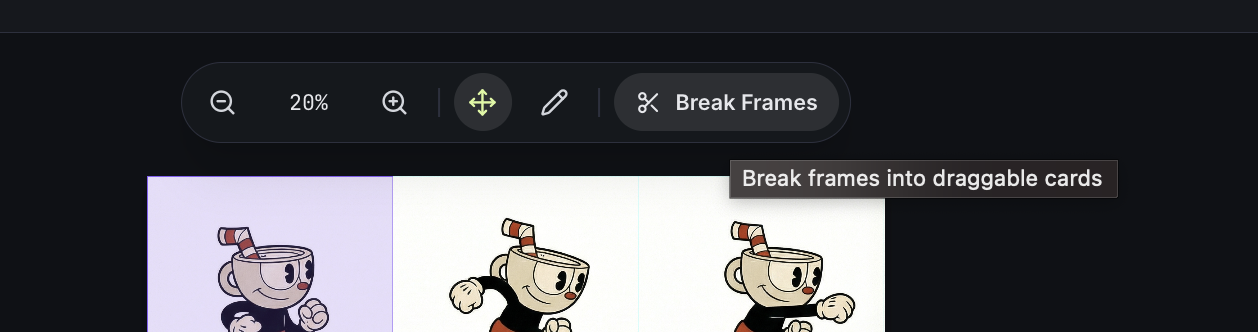
- Edit Mode: Click the Break Frames button to slice the sheet.
- Reorder: Drag frames to create a smooth arc: Anticipation -> Jump -> Flip -> Landing. Delete extra frames.
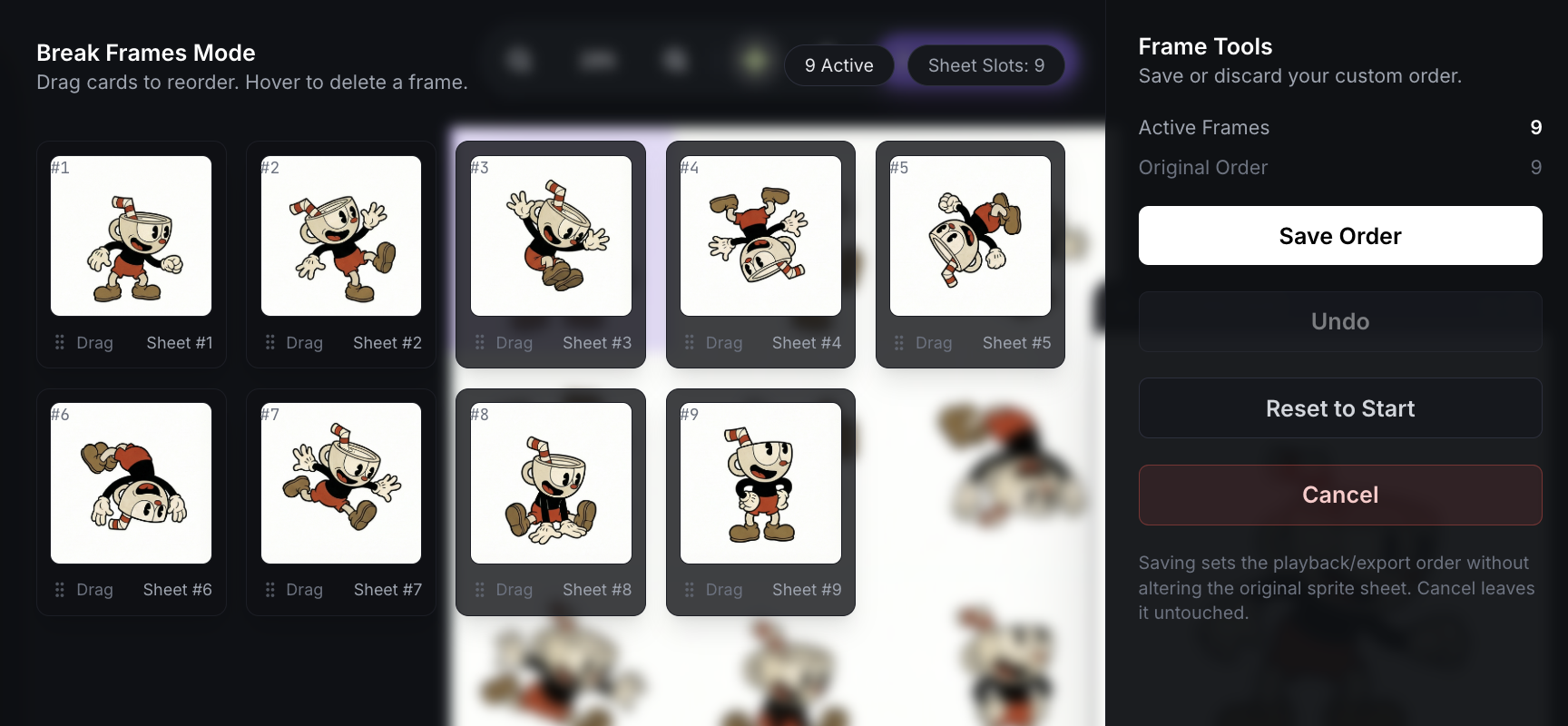
- Save: Export your sequenced sprite sheet.
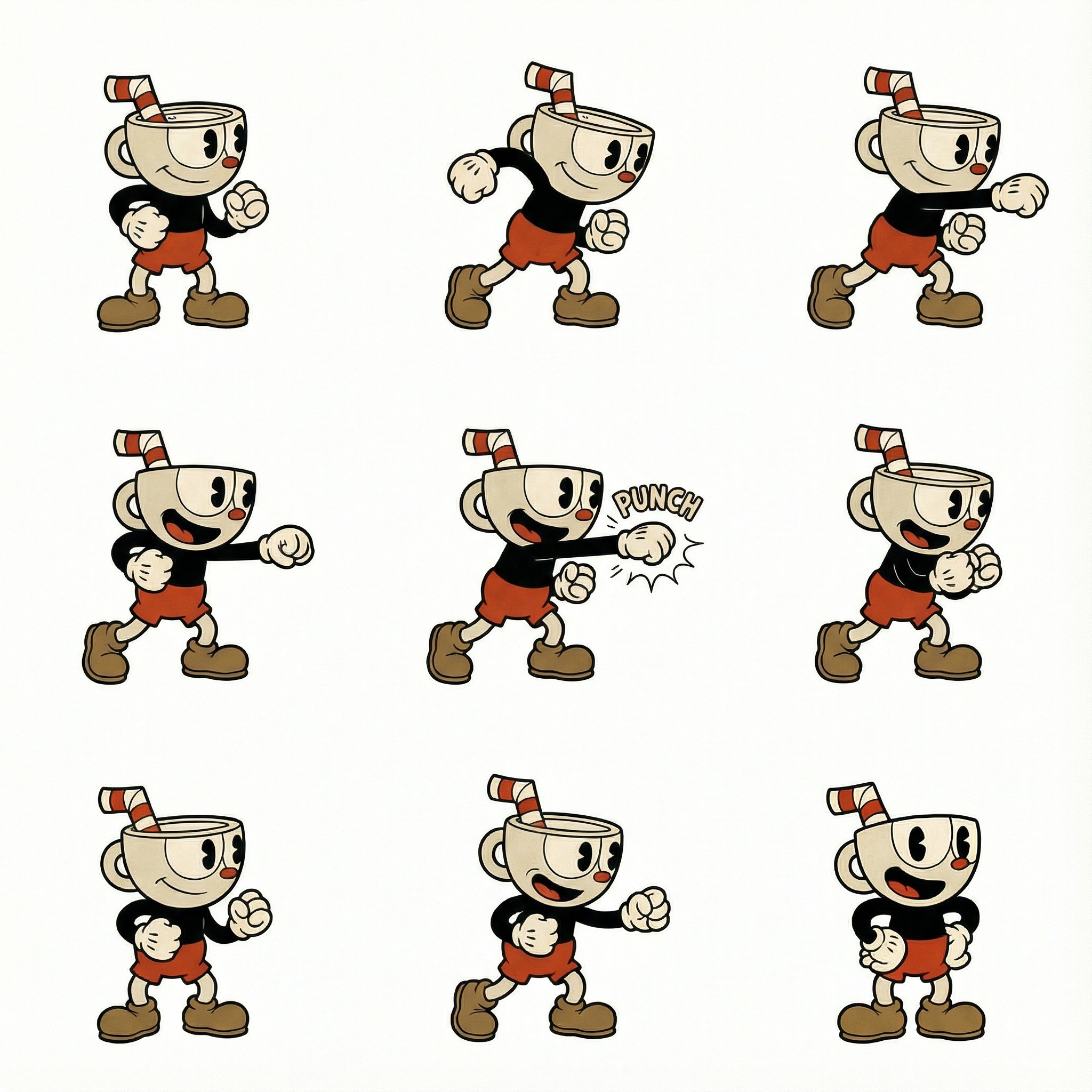
5. Expanding Movesets
Consistency is key. SpriteStudio allows you to use generated assets as references.
Want a fight punch animation?
- Reference: Use your jump sheet as a reference.
- Prompt: Type "fight punch animation".
- Generate: The engine maintains character design while creating the new action.
Conclusion
With SpriteStudio and NanoBanana Pro, you can bypass asset creation bottlenecks. Whether you need pixel art or hand-drawn animations, the tools are here to help you build faster.
Start generating your sprite sheets today.